
What Is Phishing? Meaning, Examples, and How to Avoid It
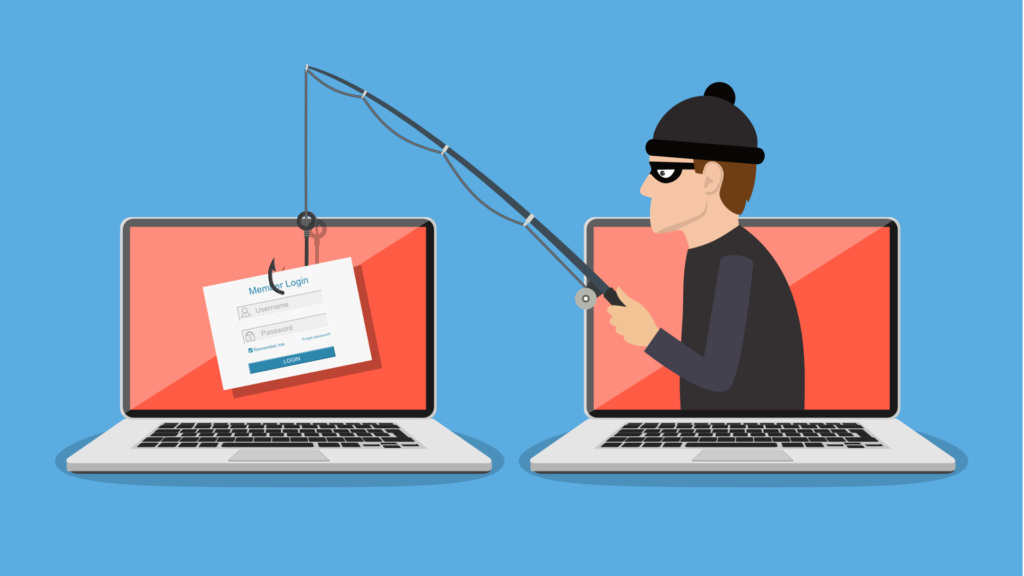
Phishing is one of the most common cyber threats in the world, and it still works because it targets people before it targets systems. Instead of breaking into software directly, phishing attacks try to trick users into clicking malicious links, opening infected attachments, entering passwords, or sharing sensitive information.
That is why so many people search for terms like what is phishing, phishing meaning, or phishing attack meaning. The concept sounds simple, but the real danger comes from how convincing phishing messages have become. Today, phishing can arrive through email, text messages, fake login pages, social media messages, or even voice calls.
For individuals, phishing can lead to stolen passwords, drained accounts, and identity theft. For businesses, it can become the starting point for ransomware, fraud, account compromise, or wider security breaches. That is why phishing is still one of the most important topics in cybersecurity awareness.
Phishing meaning: what is phishing?
Phishing is a cyber scam in which attackers pretend to be a trusted person, company, or organization to steal information or make someone take an unsafe action.
A phishing message may pretend to come from:
- a bank
- an employer
- a delivery company
- Microsoft, Google, or another cloud service
- a government office
- a coworker or manager
The goal is usually the same: get the victim to trust the message quickly and react before thinking carefully. That is why phishing often uses urgency, fear, warnings, payment issues, login problems, or fake security alerts.
In simple terms, the phishing meaning is digital impersonation used to steal data, credentials, money, or access.
What is a phishing attack?
A phishing attack is the actual attempt to trick someone through a fraudulent message, website, or communication channel.
A typical phishing attack works like this:
- The attacker creates a message that looks legitimate.
- The message is sent by email, SMS, social media, or another platform.
- The victim is pushed to click a link, open an attachment, or enter account details.
- The attacker steals credentials, installs malware, or gains access to sensitive systems.
This is why phishing attack meaning matters beyond the definition. Phishing is not just an annoying scam. It is often the first step in a much larger cyber incident.
Common phishing email examples
One reason phishing remains effective is that many phishing emails do not look obviously fake anymore. Some are polished, short, and designed to feel routine.
Common phishing email examples include:
- “Your account has been suspended. Click here to verify.”
- “We detected unusual login activity.”
- “Your package could not be delivered. Reschedule now.”
- “Invoice attached. Please review urgently.”
- “Your payment failed. Update billing details.”
- “Reset your password immediately.”
There are several types of phishing attacks, including email phishing, spear phishing, smishing, vishing, and business email compromise.
How to spot phishing emails
If you want to avoid phishing, you need to recognize the warning signs early.
Common signs of a phishing email include:
- urgent language
- unexpected login requests
- suspicious links
- strange sender addresses
- requests for passwords or payment details
- poor formatting or unusual wording
- attachments you did not expect
- pressure to act immediately
Still, there is one mistake people make all the time: assuming phishing always looks sloppy. That is outdated thinking. Many phishing messages now look clean and professional. The smarter habit is to verify context, not just appearance.
How to avoid phishing attacks
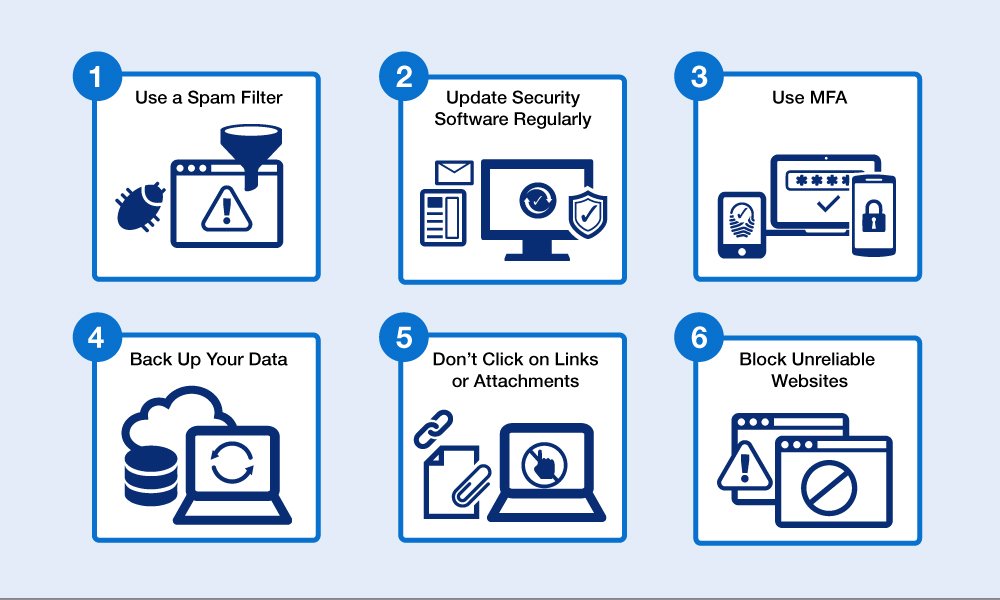
The best way to prevent phishing is to combine awareness with simple security habits.
Here are the most effective ways to reduce phishing risk:
- use multi-factor authentication
- do not log in through links in emails or texts
- verify urgent requests through another channel
- keep devices and software updated
- use strong, unique passwords
- avoid opening unexpected attachments
- report suspicious messages quickly
For businesses, employee training matters even more. One successful phishing click can lead to a much larger security problem. That is why phishing awareness should be part of a broader cybersecurity awareness strategy.
Phishing vs spoofing
People often confuse phishing and spoofing, but they are not the same.
Phishing is the scam or attack.
Spoofing is the fake identity method used to make that scam look real.
For example, if an attacker sends an email that appears to come from your bank, that fake identity is spoofing. If the message then tricks you into entering your login details on a fake page, the full scam is phishing.
This matters because spoofing is often what makes phishing believable.
Why phishing still matters
Phishing still works because it exploits habits people use every day: reading messages quickly, trusting known brands, and reacting to urgency. Attackers do not need perfect success. They only need enough people to click, trust, or respond.
That is why phishing remains one of the biggest cybersecurity risks for both individuals and businesses. It is not just a technical threat. It is a trust problem.
Final thoughts
If you were wondering what phishing is, the simplest answer is this: phishing is a form of digital deception used to steal information, money, or access by pretending to be legitimate.
The better you understand phishing meaning, phishing email examples, and the warning signs of a phishing attack, the easier it becomes to avoid costly mistakes. In cybersecurity, that small pause before clicking often makes all the difference.